Coming soon · Not on sale
Prove the copy matches before you format the card.
Proof Copy is a Mac app for a video creator who has just offloaded a camera card and needs to know the copy is complete. It reads the copy back. It leaves a receipt. It is not for sale yet.
What it does
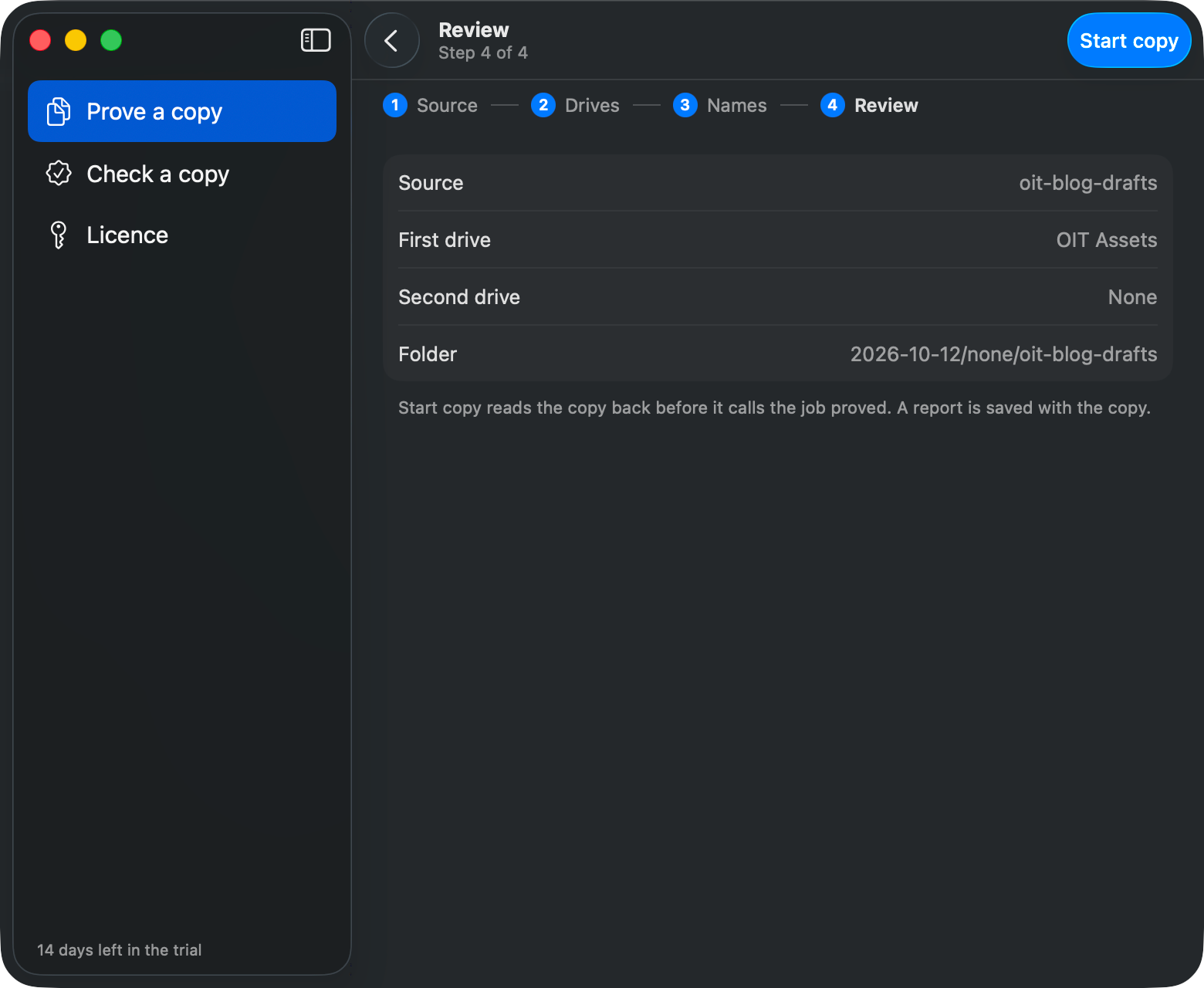
- Copies a card or a folder to one drive, or to two. One copy is not a backup. The report says what you actually made.
- Saves the copy as date / camera / card, so the drive is not one pile.
- Reads the copy back and compares it, byte for byte. A job is proved only when the bytes match.
- Leaves Proof Copy Report.pdf in the copy, the file you can send, plus a receipt a later check can read.
- Checking a receipt does not need an account. Nothing is sent off the Mac. Nothing is deleted, and an existing folder is never overwritten.
What it will not do
- It does not manage a library, rename clips, or publish. That job is MediaFlowSwift.
- It does not run on Windows. A later Windows app, if one is built, would have to read the same receipt.
- It is not on sale. There is no download on this page, and no price.
Get one email when it is ready
Leave your email and we will write once, when Proof Copy is ready. Kit, our email service, sends a message first to check the address is yours. Nothing is added until you click the link in it.
We use the address only for Long Road Software news. Every email has an unsubscribe link. What Kit keeps is on the privacy page.
The manual
The Proof Copy manual (PDF) walks through a real job: choose the card, pick one drive or two, name the folder, and start the copy. It also shows how a later check reads the receipt. The window in those pictures still shows a trial. The app is not on sale yet.
Questions: see support, or write to support@mediaflowswift.com.